


NetCam XL
|
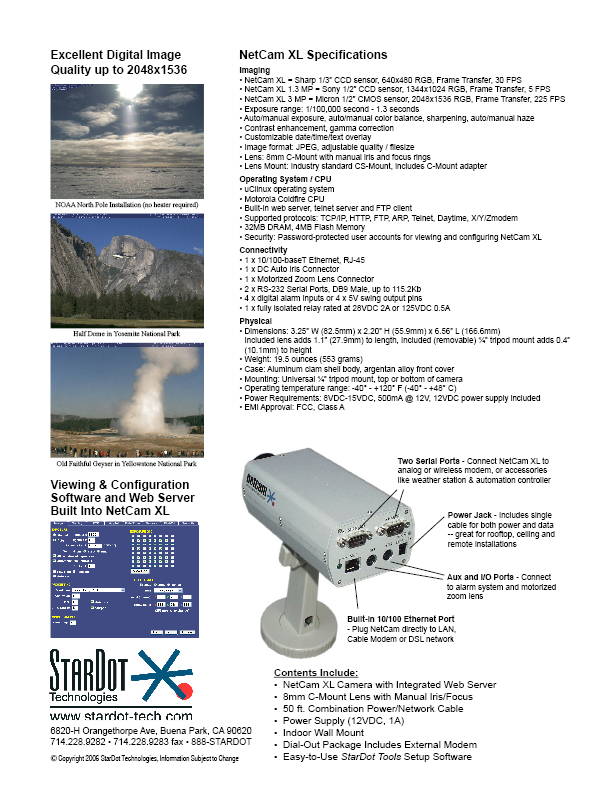
View, download or print the brochure |
 NetCam XL Brochure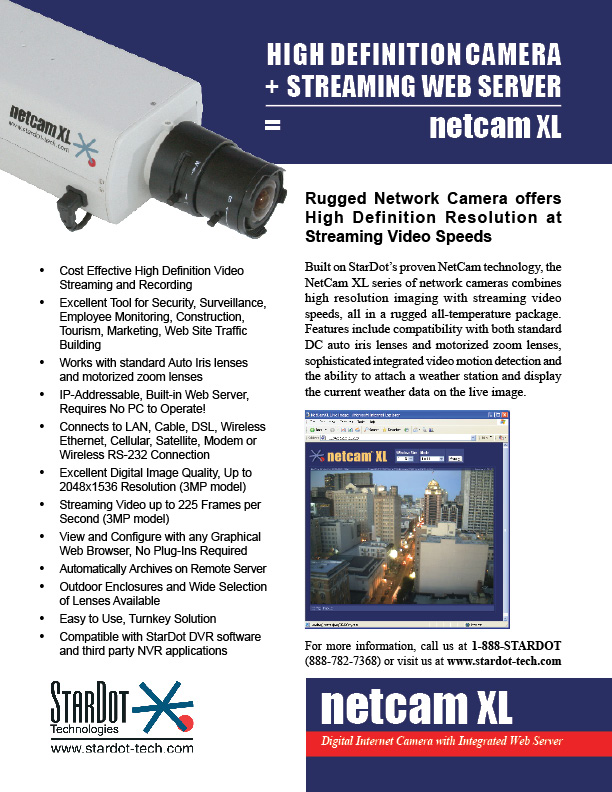
Downloads
NetCam XL Manual

NetCam XL Manual
PDF format (2.55MB)
StarDot Tools Software

StarDot Tools
Version 1.5.2 (2.0MB)
NetCam XL Firmware
Firmware Upgrade Instructions
- To upgrade the firmware, use the latest copy of the StarDot Tools software and the NetCam XL must be on the same local network as your computer. Run StarDot Tools, right-click on the NetCam XL in the list, select "Upgrade Firmware" and follow the on-screen instructions. DO NOT power the camera off during the upgrade process as this may leave NetCam XL inoperable.
- After upgrading the firmware, you will have to re-enter all of the existing settings (IP address, FTP information, etc). If your camera is not on a DHCP network (behind a router), you may need to use the null serial cable that shipped with NetCam to reassign the IP address.
VERY IMPORTANT UPGRADE NOTE: You cannot upgrade from 1.1.51 (or earlier) to 1.1.53 (or later). If you do, your camera will no longer work. You MUST upgrade to 1.1.52 first. Once you upgrade to 1.1.52, you can then upgrade to any higher version.
Capture Client Java Applet
The old Java Applet used to update the image from our NetCam cameras, no longer works on most browsers at this point. You can instead use Javascript code to update the image on a website. Using the Javascript code will allow you to view the updating image on a cell phone or tablet, which was not possible with the old Capture Client Applet.
Click to view article about using Javascript to update images